Skip to content
Eden Gate by Eden360

Remote sessions · RDP · SSH · SFTP

Every remote machine, one desk.

Eden Gate keeps your Windows PCs, servers and file shares in one app. Copy in one session and paste in another, share a folder without exposing your computer, and keep every password end-to-end encrypted.

Windows and Mac · iPhone and Android in development

Eden Gate: a rack of saved machines on the left (Studio PC, Build server, Home NAS, Garden Pi), and the selected Studio PC with its routes and a Connect key.
3 in 1Remote Desktop · SSH · SFTP
1clipboard across every session
0readable secrets on our servers

Built-in Remote Desktop

Windows PCs, right in a tab.

No separate Remote Desktop window to juggle. Eden Gate draws the remote screen itself.
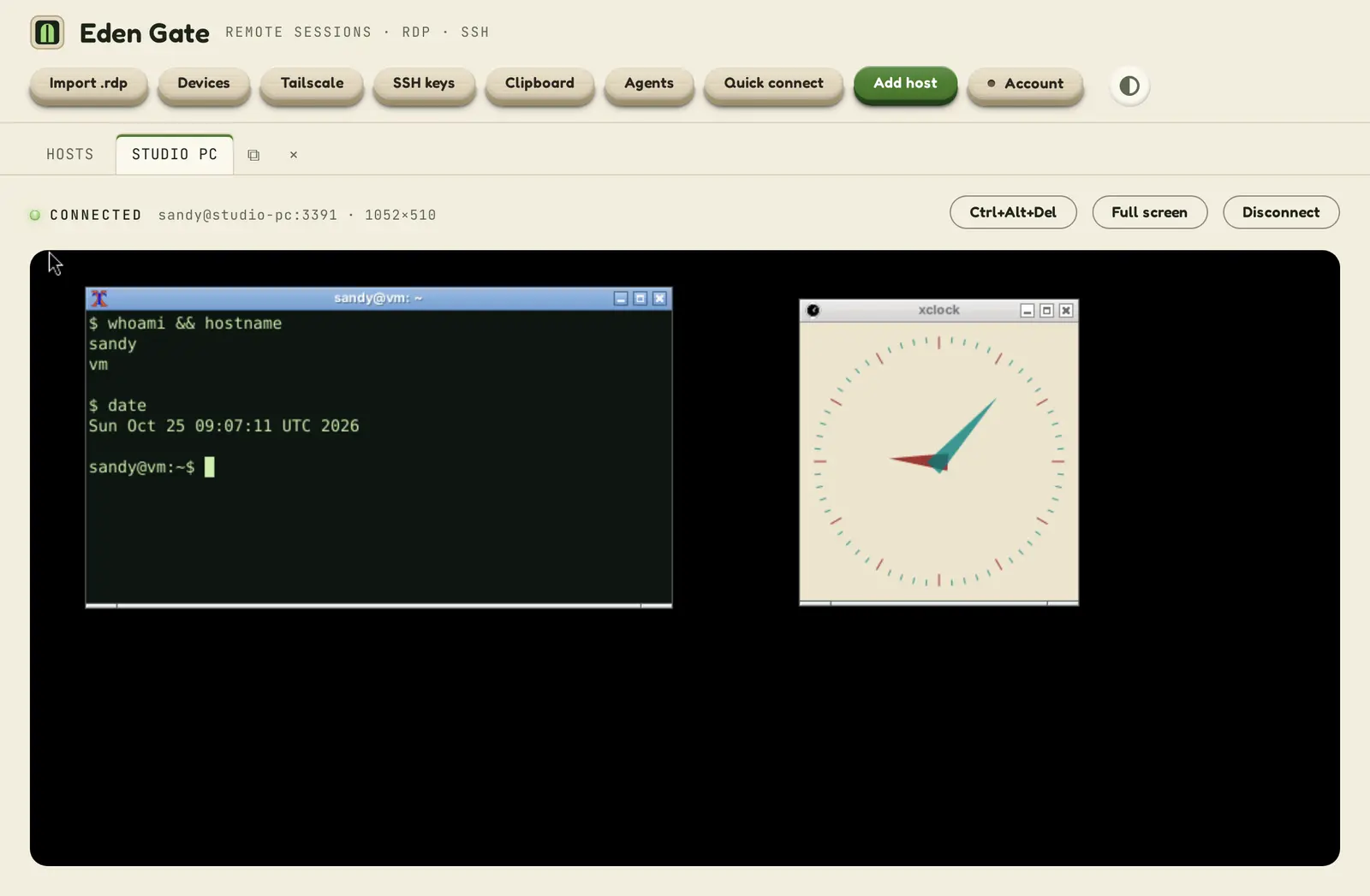
  • Fits the window. The remote desktop follows the tab's size, or full screen with one key.
  • Tear it off. Drag a session into its own window and back; it keeps running.
  • Through a jump host. Reach a PC behind an SSH server without opening a port.
  • Your own client as a fallback. One click opens the same PC in Windows App on a Mac, or Remote Desktop on Windows.
A Remote Desktop session open in an Eden Gate tab, showing the remote PC's terminal and clock, with Ctrl+Alt+Del, Full screen and Disconnect keys above it.
SSH

Terminals that remember

Host keys checked on first contact and pinned after, keys and passwords from your keychain, jump hosts and port tunnels.

SFTP

Files between machines

Browse, upload and download, or copy a folder straight from one server to another through this PC.

Clipboard

One clipboard

Copy on a remote PC, paste in a terminal, or the other way round. Each host can keep its data in, or others' out.

Shared folder

Share one folder, nothing else

Show a folder on this PC to a remote PC as a drive, read-only unless you say so. It can never reach outside that folder.

Discovery

Find your machines

Pick up the PCs on your network and your Tailscale tailnet, check which routes answer, and wake sleeping ones.

Sync

Every device, same desk

Hosts, passwords and keys follow you to your other devices, encrypted before they leave this one.

Agents

AI agents, on a leash

Let an AI assistant run commands on your machines through MCP, with your approval, limits and a log of every call.

Scripts

Before and after

Run a script before connecting (say, a VPN) and after; nothing runs until you have reviewed and approved it.

Security

Built to be trusted with the keys.

A session manager holds the keys to everything you run. Eden Gate is built so a stolen server, a spoofed machine or a compromised remote PC gets as little as possible.
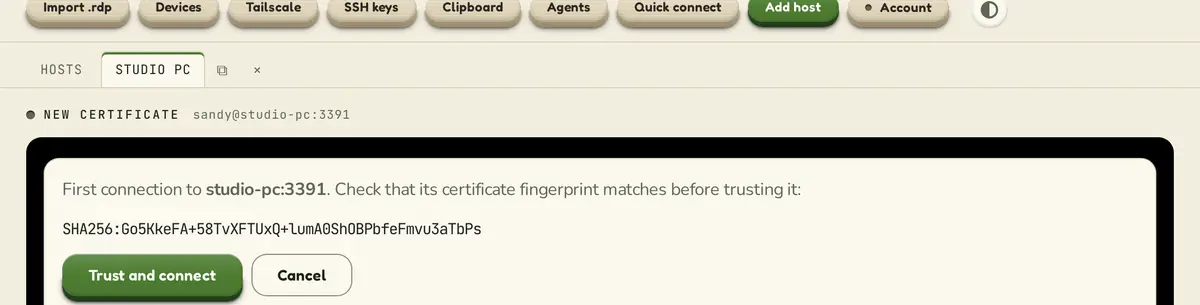
Eden Gate asking whether to trust a Remote Desktop server it has not seen before, showing the certificate's fingerprint.
  • End-to-end encrypted vault. Passwords and keys are sealed on your device (XChaCha20-Poly1305, Argon2id) before they sync. Our servers store only what they can't read.
  • Unlock with a passkey. Touch ID or Windows Hello, with a passphrase and a recovery key you keep as the way back in.
  • No surprise machines. SSH host keys and Remote Desktop certificates are pinned on first contact; a change is refused, and no password is sent first.
  • Safer sign-in by default. Remote Desktop uses NLA unless you allow otherwise for a machine you trust.
  • Sealed shared folders. Every path a remote PC asks for is checked against your folder, symlinks included; read-only refuses every change.
  • Hard boundaries. Mark a machine as on a restricted network and nothing crosses it: no clipboard, no shared folder, no tunnels.

Platforms

On your desk and in your pocket.

Windows

Early access. Windows Hello unlock, Credential Manager for saved passwords.

Mac

Early access. Touch ID unlock, Keychain for saved passwords, Windows App as the Remote Desktop fallback.

iPhone

In development: your hosts, SSH and SFTP, with the same vault.

Android

In development: your hosts, SSH and SFTP, with the same vault.

Early access

Want Eden Gate on your desk?

Eden Gate is in early access for Windows and Mac. Write to us and we'll send you a build, and tell you when the phone apps are ready.