[00] Mahi Labs · ER-01 · voice-first second brain
Eden: Second Brain
Say it once. Eden remembers it at the right place and time.
Talk the way you think. Eden splits what you say into small Seeds, links each one to the people, places and projects it is about, and brings it back when it matters.
Free in early access · only you can see your Seeds
● REC07:30 AM01/8
Mahi · Kitchen
“Milk, eggs and dosa batter, remind me when I’m near More.”
- TASKMilk, eggs, dosa batter@ More
Say it once. Eden remembers it at the right place and time.
Talk the way you think. Eden splits what you say into small Seeds, links each one to the people, places and projects it is about, and brings it back when it matters.
Scroll to continue
[01] The split · TP-02 thermal
One sentence in. A receipt of Seeds out.
Say it the way it comes out. Eden splits it into small Seeds, one line each, stamped with what it is, when, where and which part of your life.
HeardNo. 0417 · 07:58
“Remind me to send Ravi the site photos tonight, and Meera’s birthday is on Monday.”
- TYPETask, event, note, idea: what it is, so it lands in the right place.
- WHENA time or a day, if you said one. Eden never invents a deadline.
- WHEREA place you saved, like the shop or the office: it comes back when you’re there.
- AREAWork, Home, Family, Ideas: the colour on the stamp.
Eden · Split receipt
0417
17 OCT 2026 · 07:58
HEARD1 SENTENCE
SPLIT INTO2 SEEDS
SURE0.93 · SAVED
UNDOANY TIME
SAY IT ONCE.
[02] How it works · Drawing EDN-02 · Scale 1:1
From one sentence to the right reminder.
No forms, no folders. Four stages, and you only do the first.
-
Fig. 01
Capture
Hold the orb and speak, or type. It’s saved on your phone first, so nothing is lost offline.
- In
- Voice or text
- Offline
- Saved, synced later
-
Fig. 02
Split
One sentence becomes as many Seeds as it holds, each with its type, its day and its place.
- Out
- 1 → n Seeds
- Type
- Task · event · note · idea
-
Fig. 03
Link
Each Seed joins the people, places and projects it’s about, so it never floats on its own.
- Links
- People · places · projects
- Stored
- By meaning
-
Fig. 04
Resurface
At the right time, or when you arrive at the right place, Eden brings it back. Nothing to dig for.
- When
- A time or a place
- Places
- Checked on your phone
Gauge 01 · Confidence
Eden never acts on a guess.
Every Seed carries how sure Eden is. That number decides what happens next.
- < 0.60Asks you. “Is that Thursday this week or next?”
- 0.60–0.85Acts, with undo, and says “Eden thinks…”
- > 0.85Just does it. You can still edit or undo.
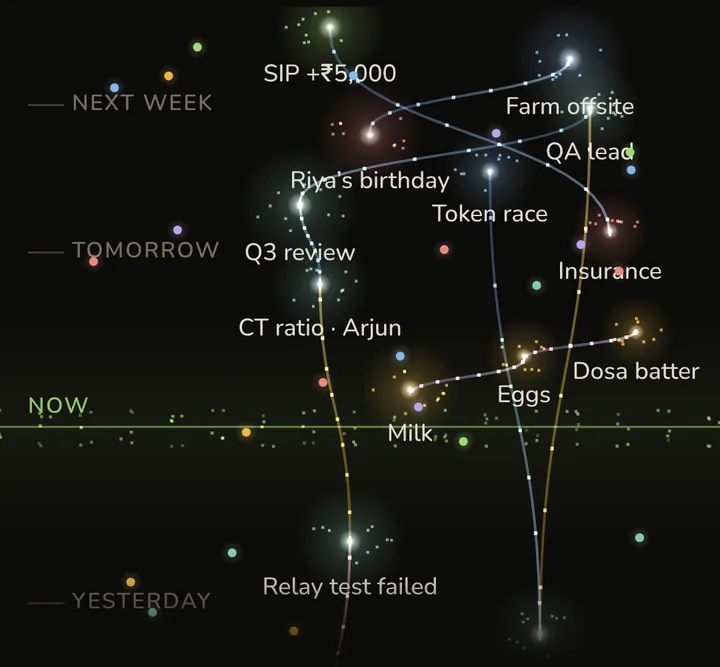
Monitor 02 · The Seed Garden● On
[03] Where Seeds live
Everything you said, linked in time.
- SeedsA list, your day, or the Garden, where linked Seeds grow along the same vine.
- CalendarDay, week and month: what is due, and when.
- ProjectsSteps and progress, built from what you said: “New substation: 4 of 7 steps done.”
- Ask“How far is the substation project?” Eden answers from your own Seeds.
Features · in Eden today
What Eden does for you.
Talk or type
One tap on the orb. Hold it for a brain dump: talk for minutes, pauses are fine.
Nothing gets lost
Every capture is saved on your phone first and synced later, even offline.
The right place
Save home, office or your shops. Eden reminds you of the right Seeds when you arrive. Where you are never leaves your phone.
The right time
Reminders when things are due, and your calendar in the same view.
Eden chat
A hello that tells you what’s due today and what slipped, then talk or type to Eden.
Ask Eden
Ask about anything you said. Every answer shows the Seeds it came from.
Share to Eden
Share text or a screenshot from any app, and its text becomes a capture.
Projects
Steps and progress, built from what you said.
Your household
Share Seeds with the people you live with.
Asks before it guesses
When Eden isn’t sure, it asks. Anything it does on its own can be undone.
Every device
iPhone, Android, the web, and Windows and Mac with Ctrl Shift E from anywhere.
Yours to keep
Lock Eden with Face ID, export everything, or delete your account from the app.
Coming soon · after launch
What we’re growing next.
In the works, after launch. Early access users get them first.
Coming soon
Photos by meaning
Find a screenshot or photo by what is in it: “the bill from the hardware shop”.
Coming soon
Voice notes by meaning
Find a note by what you said and how you said it, not only by its words.
Coming soon
Video Seeds
Keep a short clip of a shelf or a whiteboard. Eden finds it when you need it.
Coming soon
Find the moment
Jump to the right minute inside a long recording or video.
Coming soon
Search this computer
On Windows and Mac, find your own files by meaning. Your files never leave your computer.
Coming soon
Ask across everything
One question searches your Seeds, photos, voice notes and videos together.
[04] Get Eden · one account everywhere
Wherever you think of it.
What you tell Eden on one device is waiting on the others.
Port 01 · BrowserLive
On the web
Any modern browser on a computer or a tablet. Nothing to install. Already on your phone? Scan the sign-in code with it.
Port 02 · Desktopv0.2.0
Windows and Mac
A shortcut from anywhere (Ctrl Shift E), reminders on your desktop, and updates by itself.
The first start asks you to trust it (Windows: More info → Run anyway; Mac: right-click → Open). All downloadsPort 03 · PhoneEarly access
iPhone and Android
Eden was made voice-first for the phone, with place alerts and reminders. iPhone early access is open on TestFlight; on Android, download the app directly.
Android: open the file once it downloads (about 280 MB) and allow installs from your browser when asked.[06] Privacy, in plain words
Your second brain is yours.
The full text is short too: privacy policy and terms of use.
- Only you can see your Seeds.Unless you choose to share one with your Home.
- Eden doesn’t track where you go.Place alerts run on your phone, for the places you saved; where you are isn’t sent.
- You decide about AI.Eden’s AI reads what you say only after you allow it, and you can turn that off any time.
- No ads, no selling, no tracking across apps.Not now, not later. This page has no trackers either.
- Take it with you, or delete it.Export everything as Markdown or JSON, or delete your account from the app in one step.